

 Do you remember the good old days when a computer would cheerfully close all windows when you shut down your computer? These days it is a ‘feature’ that Lion reopens all your windows and relaunches all your applications upon reboot. This is often the very thing you don’t want at reboot time, so its not suprising that alot of people have been asking me how this can be stopped.
Fortunately since the release of 10.7.4 it is easy.
1. Download and install the 10.7.4 update from Apple*
2. When the install is done, click on the Apple menu and choose System Preferences
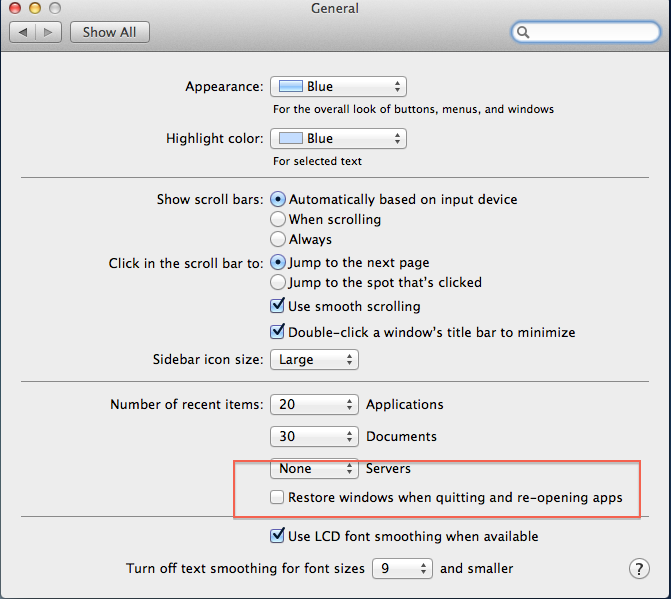
3. Choose General and deselect the Restore windows when quitting…. option.
4. Close this window and log out.
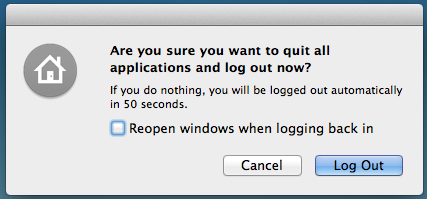
5. At the prompt deselect Reopen windows when logging… option and proceed with the logout
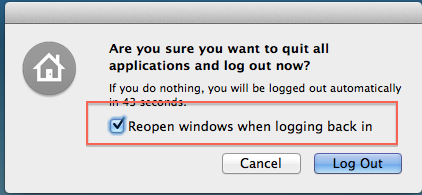
6. Log back in and the next time you log out you will notice that the Reopen windows when logging… option remains unchecked.
*If you have health checks done this will be done for you

